An insurance premium invoice can go to “Insurance”, while a medical statement goes to “Health”, even when both come from the same sender.
Email sorting stays in your hands
Your mailbox.Your logic.Your decision.
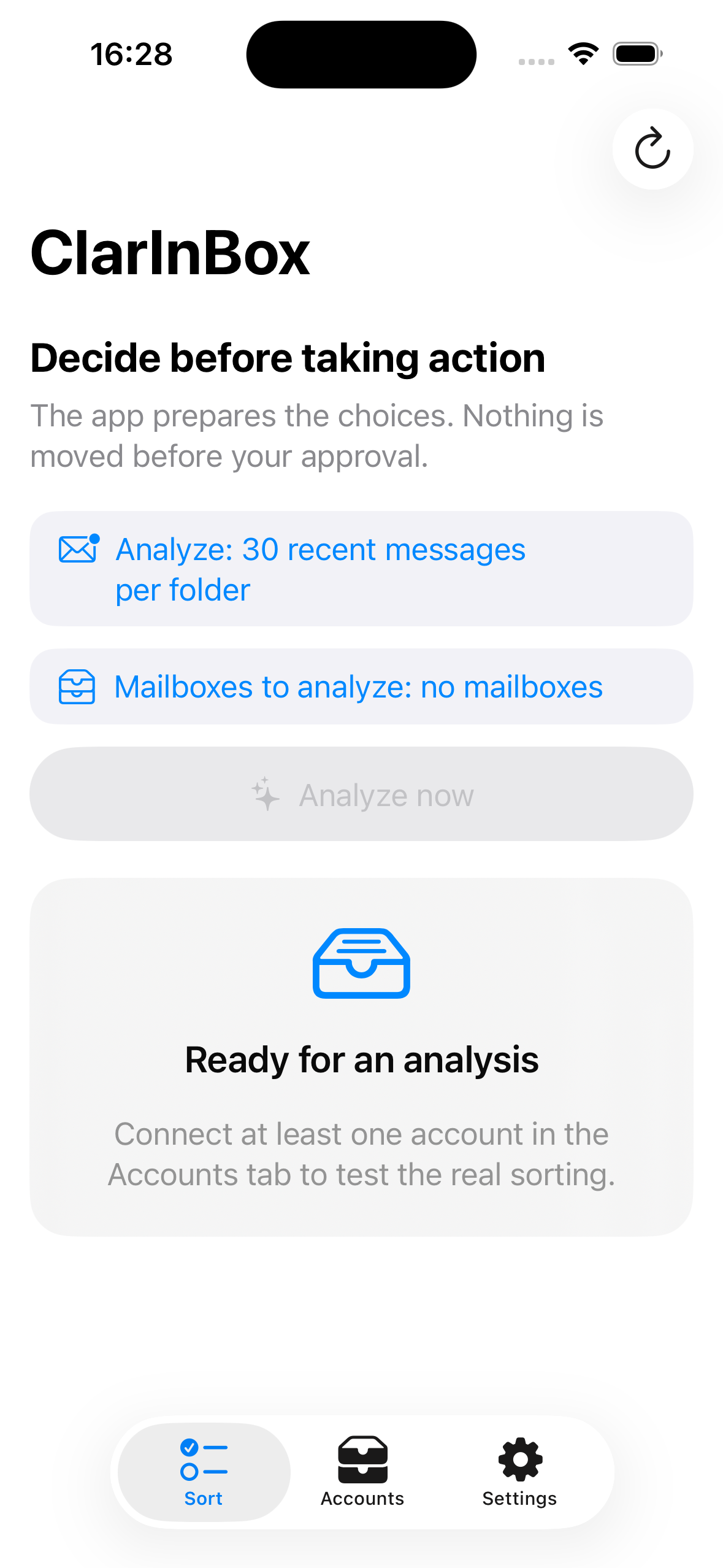
ClarInBox analyzes the emails you choose on your iPhone, suggests where they belong and waits for your approval before moving anything.

- Analyze
You choose the accounts and the number of recent messages. - Review
ClarInBox explains and displays its suggestions. - Approve
Messages move only after your confirmation.
An organization that fits you
ClarInBox learns without taking control.
Keep the folders already in a mailbox, apply one global structure to several accounts, or create a different organization for each address.
When several folders fit, the app presents the alternatives instead of forcing a fragile decision.
Consistent approvals create cautious local rules that you can inspect or delete at any time.
Compatible iPhones
Start with your iPhone, then check its iOS version.
ClarInBox supports iPhone XR, XS and XS Max, every newer iPhone that can run iOS 17, and iPhone SE from the second generation.
These models and newer iPhones can install ClarInBox when they run iOS 17 or later.
Recommended for more comfortable local analysis, especially with several accounts or many messages.
Compatible when running iOS 17 or later.
There is currently no Google Play app or ClarInBox APK.
Check iOS tooOpen Settings → General → About on the iPhone and look for “iOS Version”. ClarInBox requires iOS 17 or later.
LanguagesThe app automatically follows the iPhone language and is available in English and French.
Getting started
A plain-language guide, screen by screen.
Connect a mailbox, keep its current organization, create a new structure and approve the first sorting actions without losing messages.
Open the English user guide- Step-by-step instructions with illustrated screens
- Keep or reorganize an existing mailbox without automatic deletion
- Create folders, subfolders and sorting rules
- Migrate old folders to a new prefixed structure on iPhone or computer
- Back up, restore and verify the configuration
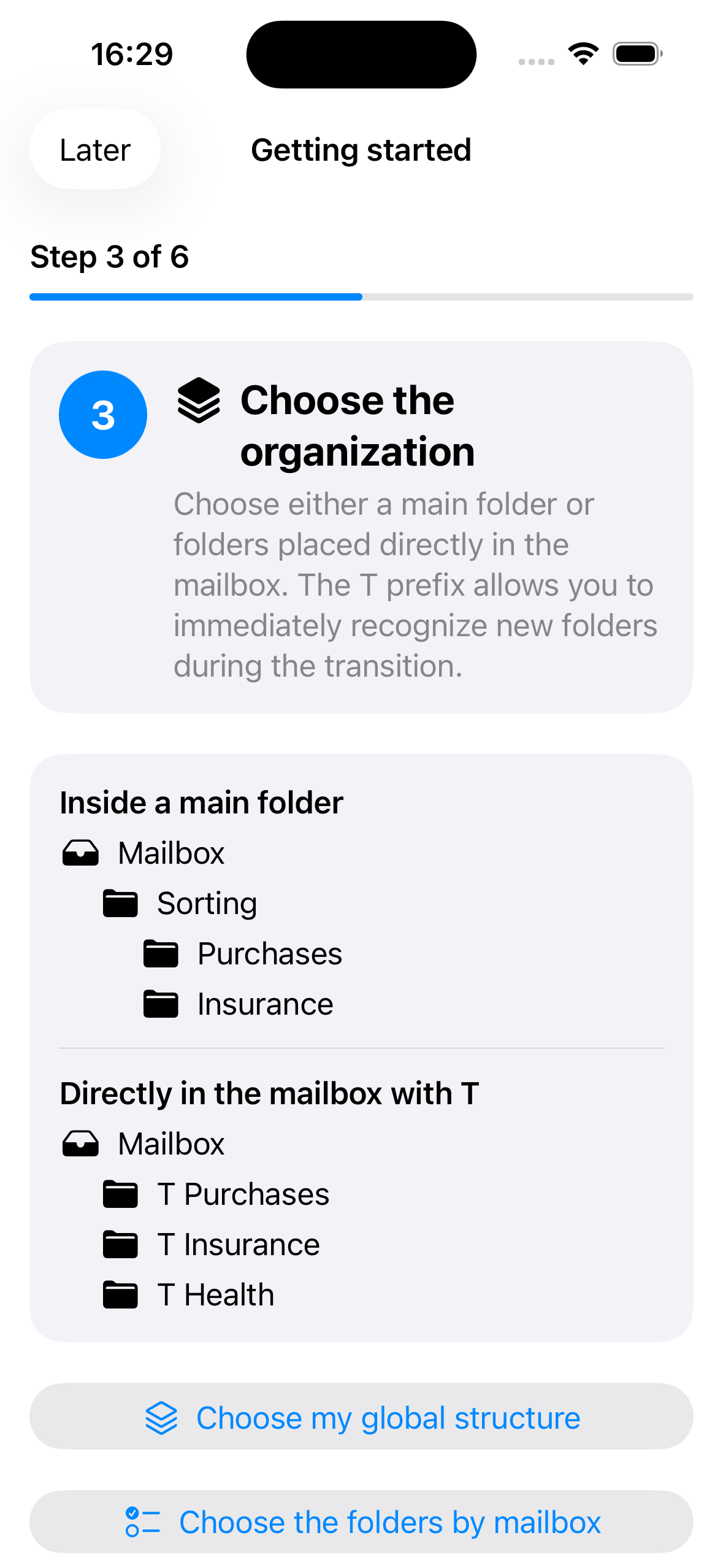
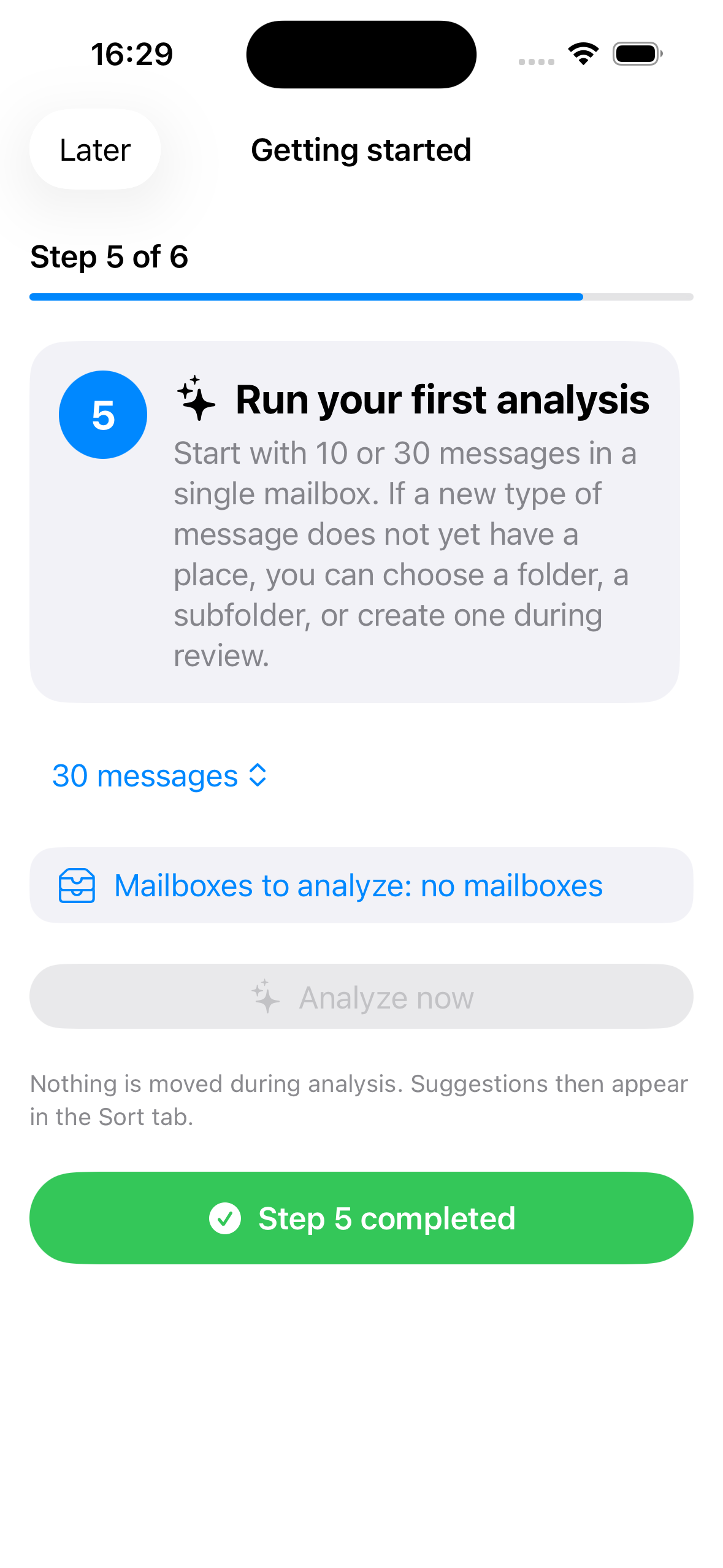
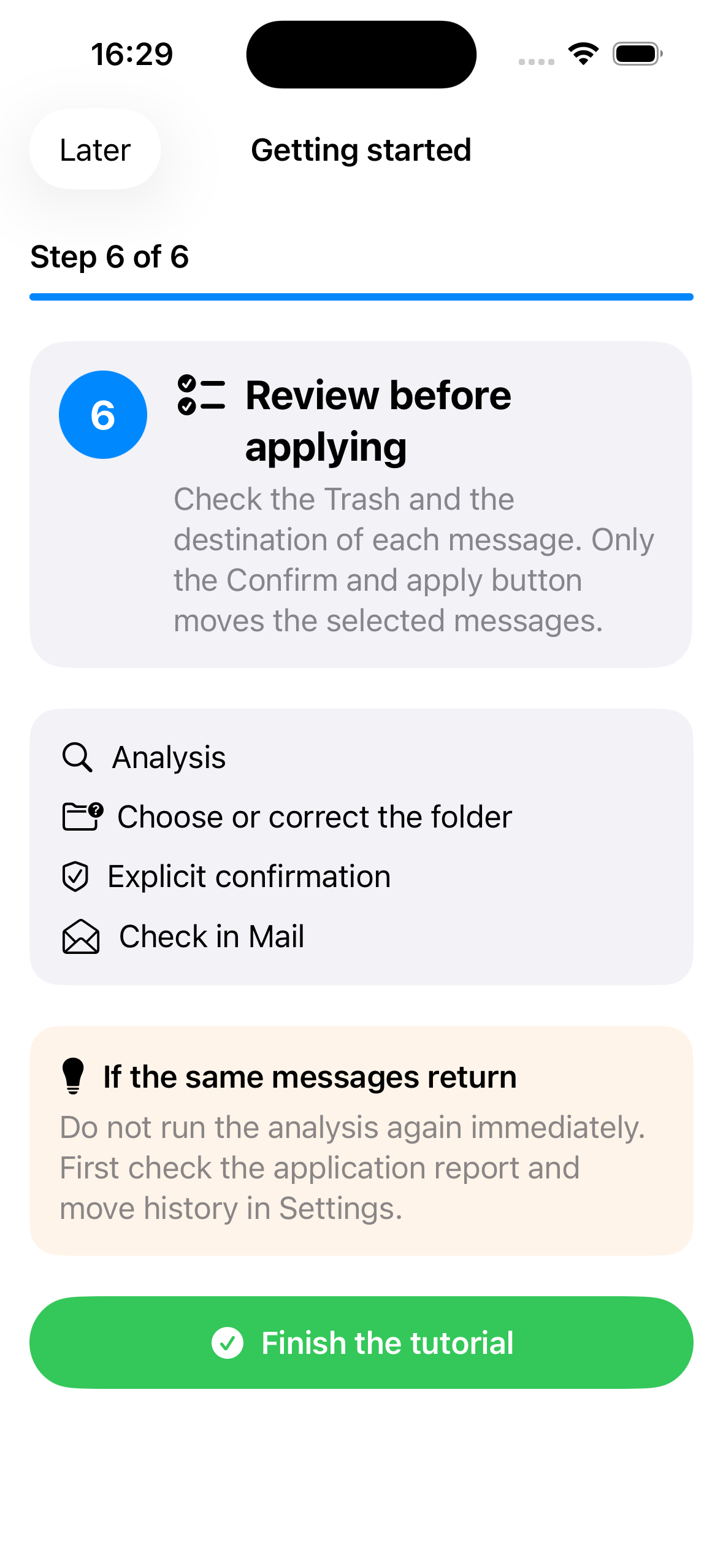
Reorganize without losing anything
Choose your prefix and migrate gradually.
“T” is only an example. Choose another letter or a short prefix such as “C”, “N” or “SORT”, or leave the prefix empty. Keep old folders until every message has been checked in the new structure.
T → T PurchasesC → C PurchasesSORT → SORT PurchasesNone → Purchases
Enter the prefix you want and enable the folders you need.
In Mail on iPhone, a webmail or a desktop mail app, move messages from each old folder into its new equivalent.
Compare message counts and open a few emails. Delete an old folder only after confirming it is empty.
BeforeMailbox└─ Purchases└─ Online shop└─ Health
After — T exampleMailbox└─ T Purchases└─ Online shop└─ T Health
Safety ruleClarInBox never deletes your old folders during this migration. Move, verify, then manually remove only folders that are truly empty.
Designed for sensitive email
One less cloud.
Analysis and learning happen on the iPhone. Message content is not sent to a server operated by Sevy Créations.
- Local processingDirect connection to the email providers configured by the user.
- Protected credentialsPasswords and OAuth tokens are stored in the iOS Keychain.
- No advertisingNo commercial profiling or cross-app tracking.
- Optional backupEncrypted export only when requested, using a passphrase the app does not retain.
Important
A sorting assistant, not an autopilot.
A suggestion can be wrong or incomplete. Always review medical, administrative, banking, legal and professional messages before applying a move.
Available on the App StoreClarInBox is available for iPhone running iOS 17 or later. Download ClarInBox. For support, email infos@sevy-creations.net.